Signing In
One login works across every Codevertex Africa product. This page covers signing in through the central portal — accounts.codevertexafrica.com. If a product (Inventory, POS) sent you here from its own "Sign in" link, you'll land right back there once you're signed in.
Direct link:
https://accounts.codevertexafrica.com/login
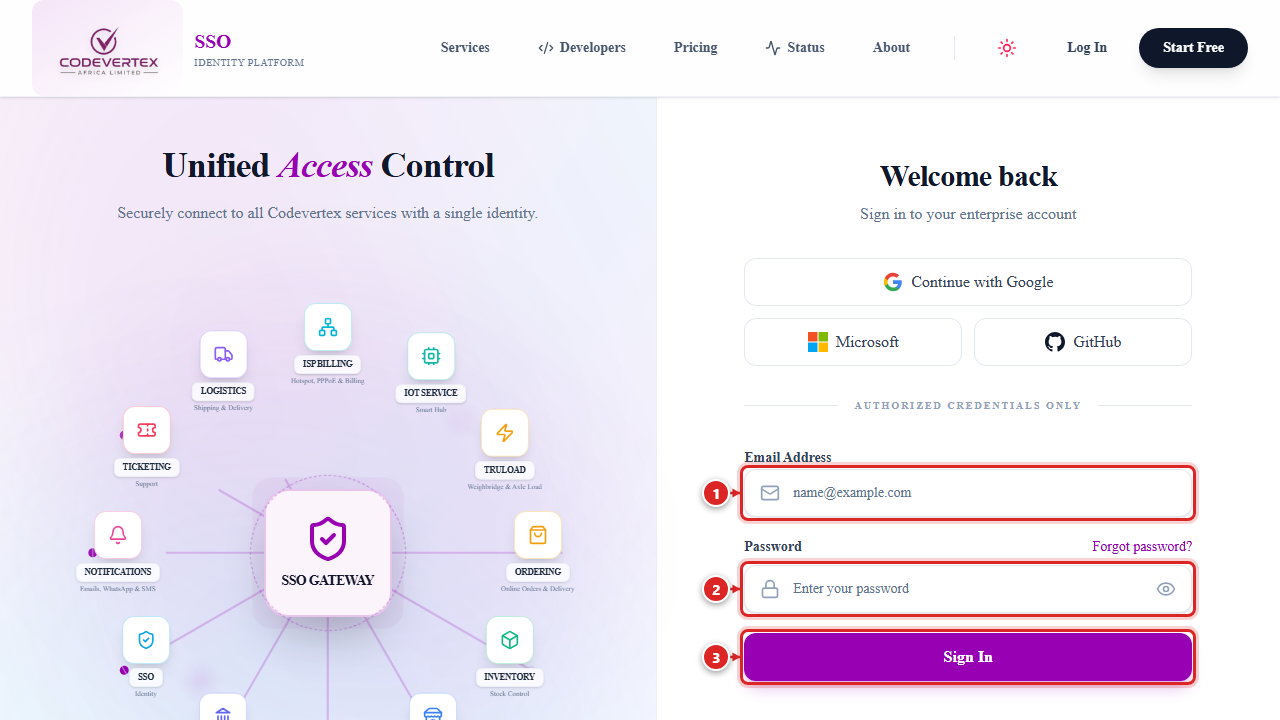
- Email Address — the email your account was created with.
- Password — click Forgot password? next to the label if you don't remember it.
- Sign In.
A few other ways in are available on the same screen, depending on what your organisation has enabled: Continue with Google, Microsoft, or GitHub, and — once you've signed in with a password at least once — Sign in with passkey for password-free sign-in on a device you've registered.
The first time you sign in on a new device, you may be offered "Set up passkey" — a prompt to register that device (fingerprint or face unlock) so future sign-ins skip the password entirely. It's entirely optional; Maybe later skips it and asks again another day.
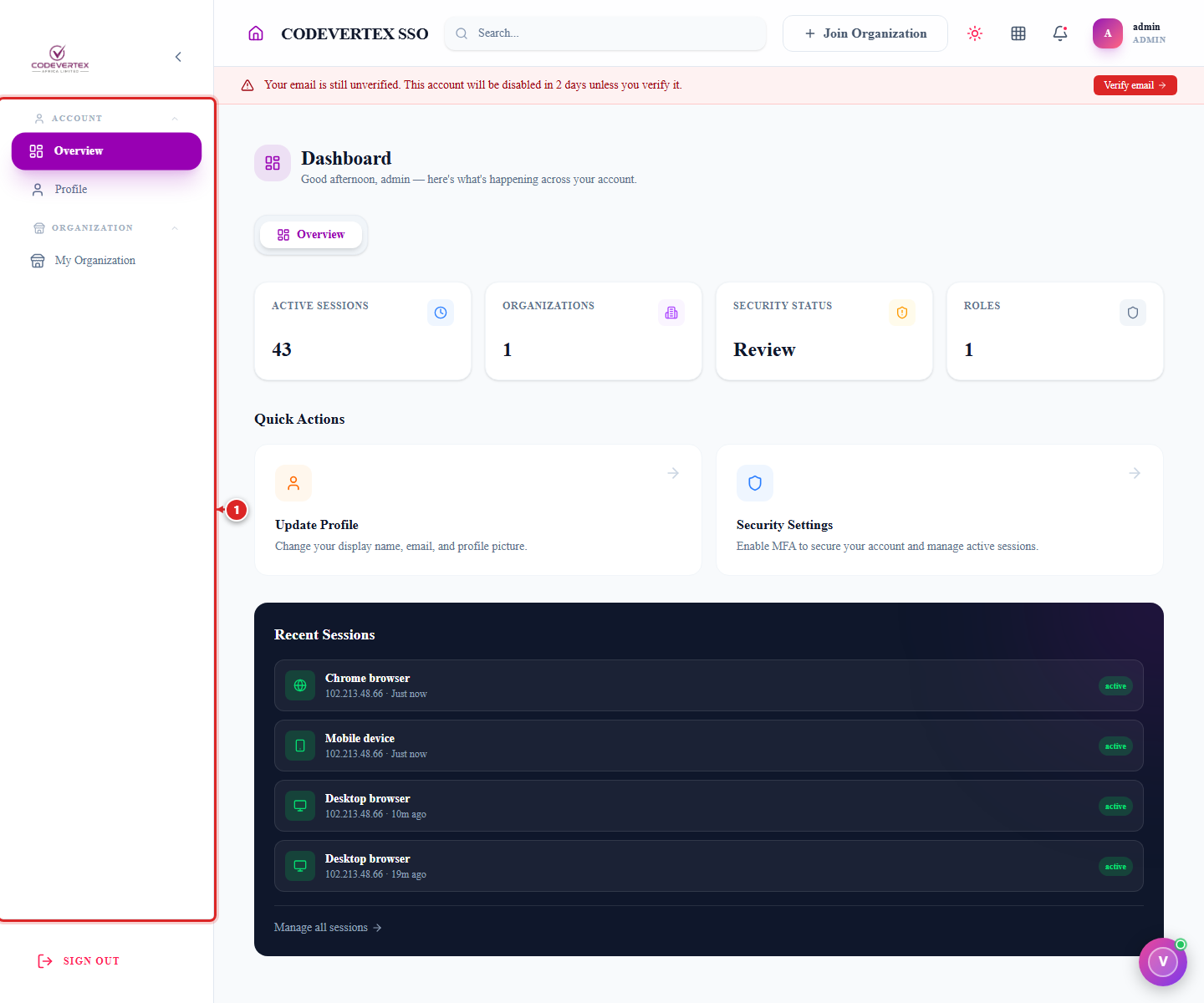
Once you're in, you land on your dashboard. The sidebar (labelled ①) is always visible on a computer; ② is the row of quick-action shortcuts for the sections you use most:
On a phone, the sidebar becomes a menu — tap the hamburger icon (①) in the top-left to open it:
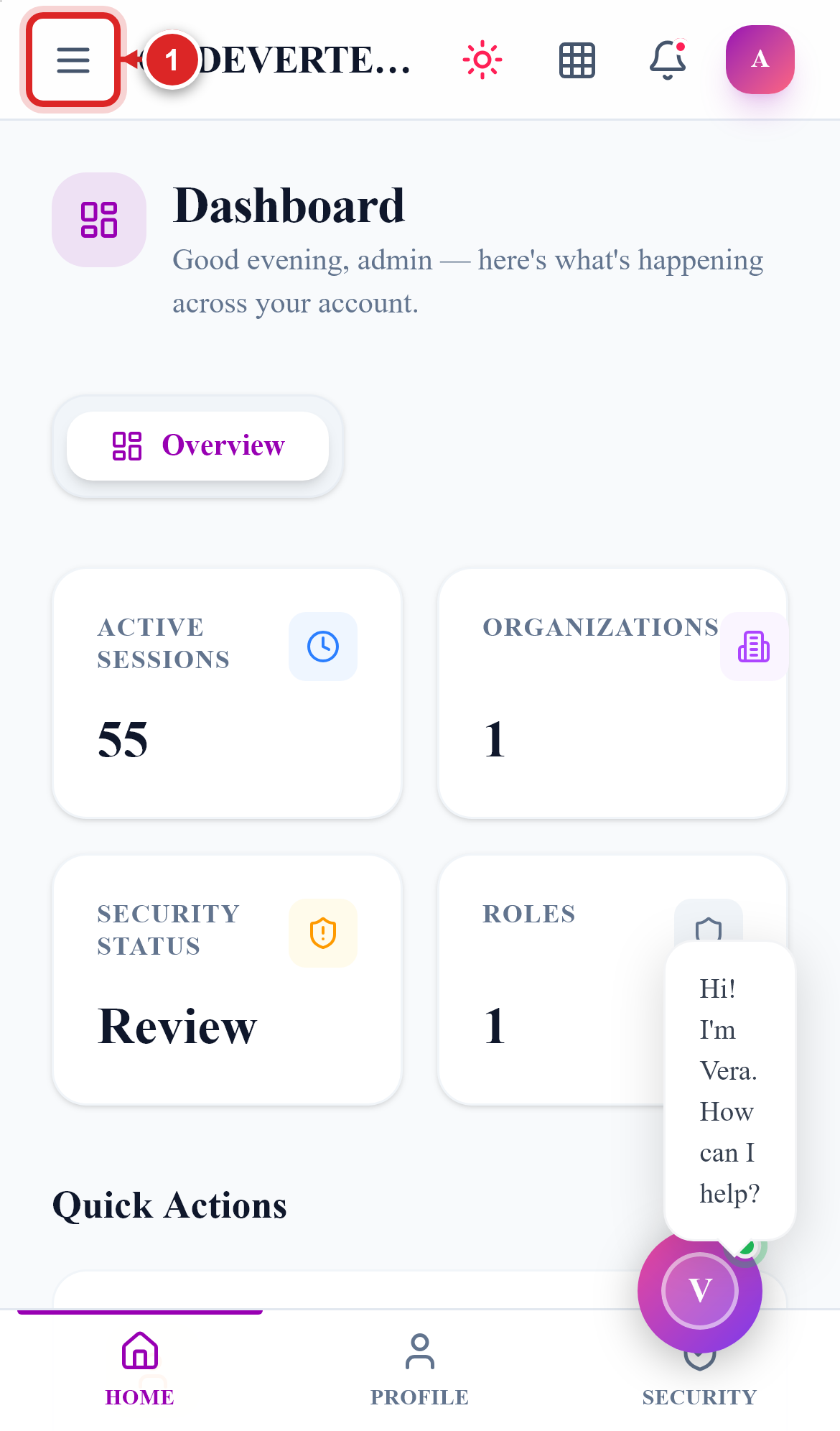
From here, My Organization in the sidebar is where an admin manages the organisation — see Managing Your Organisation.
Common Issues
"Your email is still unverified" banner won't go away. Existing accounts are asked to confirm their email on a graduated schedule — a dismissible notice at first, escalating to a banner that can't be dismissed and eventually a short mandatory wait if it's ignored long enough. Click Verify email and confirm the 6-digit code sent to your address to clear it for good.
Passkey sign-in isn't offered on a new device. A passkey is registered per device — you'll need to sign in with your password once on that device and either accept the "Set up passkey" prompt or set one up later from your account settings.
Signed in on one device, but a colleague on another device doesn't see the same thing. Each person has their own login — a passkey or "remembered" session is tied to one device, not the organisation. Every staff member who needs access should have their own account (see Managing Your Organisation → Team), not a shared login.