Reports & Dashboard
Dashboard
Direct link:
https://pos.codevertexafrica.com/{your-tenant-slug}/dashboard
The dashboard adapts to your role: an admin or manager sees outlet-wide KPIs and a date-range filter, while a cashier's dashboard focuses on their own shift instead (and a plain cashier lands straight on the till or their open bills rather than the dashboard at all — see Selling & Checkout).
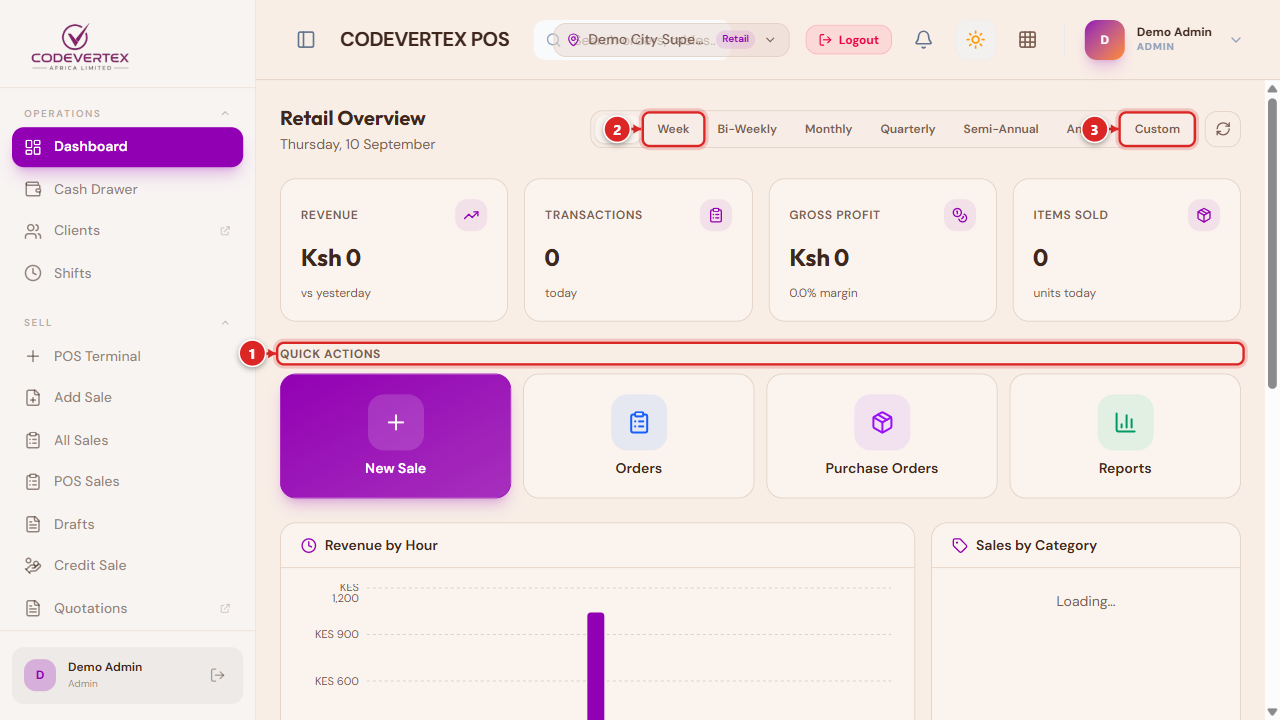
- Quick Actions — the workflows you use most (New Order, Reports, Cash Drawer, and others depending on your outlet's use case), one tap away.
- Range presets — Day, Week, Bi-Weekly, Monthly, Quarterly, Semi-Annual, Annual.
- Custom — pick your own date range.
The dashboard's own charts (revenue trend, category breakdown, top items) are a thin view over the exact same numbers as the Reports pages below — a chart here can never disagree with the matching report, since both read the same underlying data.
Reports
Direct link:
https://pos.codevertexafrica.com/{your-tenant-slug}/reports
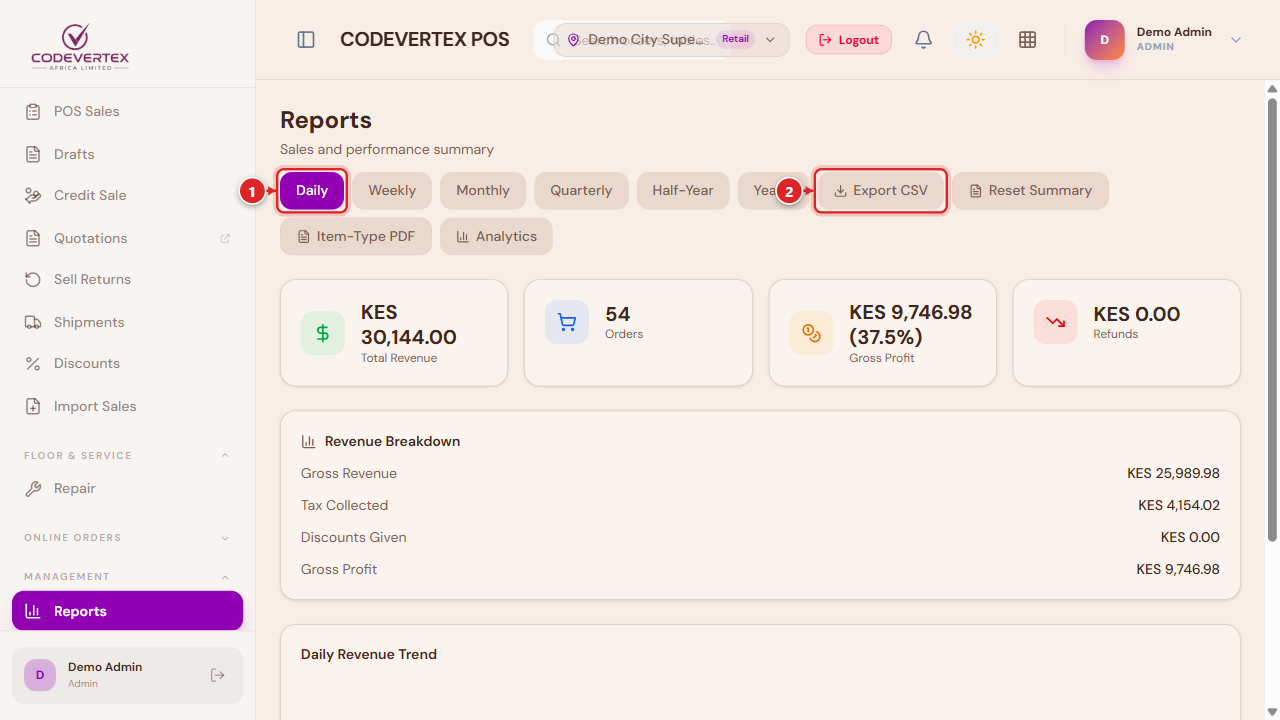
The landing page summarizes sales by your chosen granularity (Daily through Yearly) with Export CSV and PDF options. From here, dedicated pages cover:
- Sales Analytics — a free date-range view (not locked to the fixed granularities above), broken down by Staff, Hour, Category, Register, Products & Brands, Payment Methods, Product Mix, or Voids.
- End-of-Day Reports — a per-day register summary for the current month.
- Profitability — revenue, cost, and gross profit over a chosen range.
- Tax Report — VAT collected by tax type over a period (Today, Last 7 days, This month), for KRA eTIMS compliance and filing.
- Shift Reports, Returns & Refunds, and Stock Consumption round out the set, each scoped to its own topic.
For invoicing, customer statements, and full financial statements (Profit & Loss, Cash Flow), see the Treasury guide — POS's own reports focus on till activity, not overall business financials.
Common Issues
A report and the Dashboard chart for the same period show different numbers. They read the same underlying data, so a mismatch almost always means the date ranges aren't actually the same — double-check both are set to the identical period before assuming a discrepancy.
Export CSV / PDF returns an empty or unexpected file. Confirm a result actually loaded on screen for the current filters first — exporting works from whatever's currently displayed, not a separate fetch of "everything."